It’s been five days since I posted my initial
review
of Highrise, that shiny new application by
our friends at 37signals. I’ve been getting
adjusted to my new process of managing contacts and have had to remind
myself a few times that there is a brand new tool that aims to make my
life a little easier.
I haven’t heard about a Highrise API available yet, but I will
definitely be looking into tighter integration once that is available.
Direct Submissions (not yet)
It seems that Highrise isn’t going to allow direct emails to be sent to
it, they need to come from an existing contact in your account. For
example, our contact form sends
an email to our customer service mailing list. At one point, we had it
connected to the Basecamp API to submit each new contact request as a
new message in a designated project, but it didn’t really give me what I
was looking for. Since each user in Highrise has a custom dropbox email
address, I thought that I would try to link up the contact form to
submit directly to Highrise.
I got the following response back from Highrise. ;-)
Hi Robby-
An email was sent to your Highrise dropbox from
john@cusackforpresident.com. This address does not
correspond to any address that you have recorded
for yourself in your Highrise account, and so the
email was discarded.
So, in the meantime, I’m following this process with new contact
requests as well as the other people at PA
who are responsible for responding to Contact Requests.
So… let’s say that John Cusack (one of my favorite actors while
growing up) is having a weird dream and wants to get a website built for
the record store that he ran in High
Fidelity.
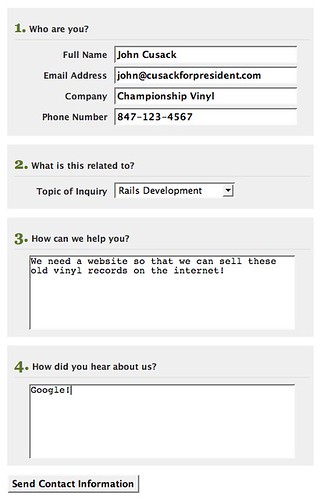
He fills out the form and submits it, which our application than stores
and also sends over his contact information to our customer service
email address.
A few minutes later…
Manually Review in Mail.app (and apply 2-minute rule)
Here I am in Mail.app and doing a double-take… “is that the real John
Cusack?” (no, it’s just test data).
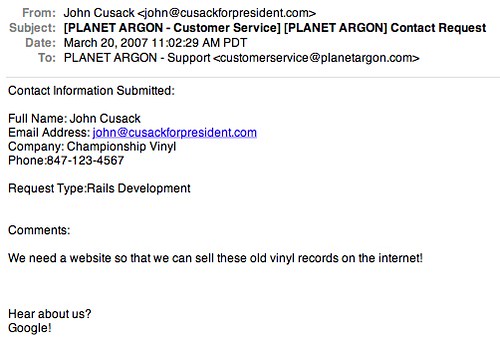
I then ask myself the following questions…
- Can I answer this in less than 2 minutes?
- If yes, respond immediately (forward to Highrise, if contact
info will be needed again)
- If no, forward to Highrise
Okay, so I’ve decided to forward this contact to Highrise as I decided
to go ahead and speak with John over the phone, since he was kind enough
to leave his phone number.
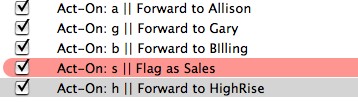
As I mentioned in my last post, I’m using
Act-On for forwarding emails to
Highrise.
(back-tic h)
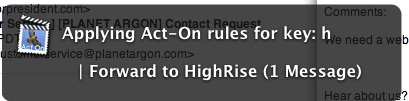
…and off the email goes.
I’m now logged into Highrise and looking at my dashboard. As you can
see, John Cusack is now at the top of my dashboad and waiting for me to
decide if I want to do something with it.

Schedule Follow Up tasks
As I mentioned, I spoke with John over the phone and promised him that
I’d send him a follow up email with a proposed date/time for a meeting
next week.
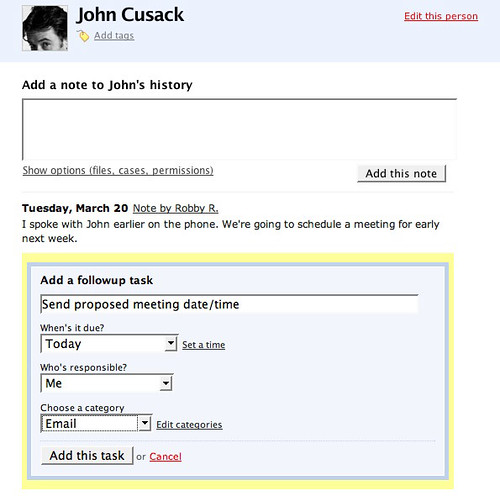
…and that’s one way that I’m now using Highrise to getting all my
contacts organized.
Five Day Review
Well, after five days of using Highrise,
I’m still impressed with it. Our Administrative Assistant began using it
last Friday and is using it to schedule follow up tasks for me. This
definitely beats the old process of leaving post-it notes on my desk
with names and phone numbers. :-)
We also upgraded to a paying account and paid for invoice #4…. and
I plan to hit contact #200 later today within our account.
A few bugs:
- Forwarding email from Thunderbird doesn’t currently work (as of last
Friday)
- A few forwarded emails from Mail.app didn’t work right (garbled…
html emails perhaps?)
Also… it appears that 37signals has opened the doors to the
public earlier
today.
Have fun!