Recent Posts - Page 27

Project Illuminatus, an introduction

August 14, 2006

Due to an unfortunate event last week, this blog entry is a few days late.

Over the next few weeks and months, the PLANET ARGON team will be blogging about one of our big projects that recently started. We needed to get the client to sign off on the blogging project and got the a-okay from their management early last week.

First, some background.

We were contacted by this rather large (enterprise?) company around the time that we went to RailsConf. When we got back, I began talking with our primary point of contact about their project, which sounded like a fairly big challenge and the sales process took a few weeks to come to an agreement on the next steps. Once they were finished interviewing a few other potential firms, we got the go-ahead that we should proceed with an ITER-ZERO, which I outlined a few months ago in part one of, The Art of Delivery.


ITER-ZERO was essentially a two-day trip for Brian and I to Washington DC (pictures) to interview the client and some of their existing users (domain experts), establish the protocol and channels for communication between them (the client) and our team, and work on identifying the core goals of their product that we’ll be developing with them. They have an existing product that they’ve been selling to customers for over ten years and the product that we’ll be developing will be the next generation of this software. The new product is replacing a desktop application that is only runs on Windows. The application that we’re currently working has a technical requirement that is needs to run on any operating system with a modern web browser, including some of the newer phones that have Opera mini installed! As you can see, we have our work cut out for us… :-)

During our meetings, we agreed that while their final product name is going through their marketing process, that we should have a playful project name to refer to. Our primary contact at the firm suggested, Project Illuminatus1. He’s a bit of a conspiracy theory nut… and it sounded fun… so we agreed to that. :-)

If I recall, Brian and I stayed up past 2am (the time zone change does that to you…) working on structuring the project wiki (instiki) to document the dialogue that occurred on our first day in DC. This provided us with a solid plan for how we wanted to focus our attention to identifying the goals that we wanted to collaborate on with the client to build an innovative and simple to define solution. Simple solutions emerge from even complex goals when you can clarify them using simple and intelligible language.

In this great blog interview, Stiff asked several famous developers the following question, “What do you think makes some programmers 10 or 100 times more productive than others?”

David Heinemeir Hannsson responded with, “The ability to restate hard problems as easy ones.”

On day two, we showed their team the wiki and explained how they could collaborate with us there. If they had ideas and new goals identified, they had a place to store those. It’s vital that your attention is on the scope of the work that needs to be investigated. We try not to solve all of the problems too quickly… it’d be naive of us to think that we could. Products evolve and so must their requirements.

I’m not going to go into everything that went on here at the moment, perhaps Brian will fill us in on some of this.

When we got back to Portland, Brian and I began meeting with Allison Beckwith, our Creative Director, to outline one of the most complex pieces of the system. As a team, we decided that this is what we need to focus more of our immediate attention to. In the their previous application, there was approximately five different modules that did something very similar, but just slightly different enough for their original developers to just build separate interfaces, which were not consistent and difficult to use for someone new to the application. We want to consolidate this into one new solution that focuses on how the users will be using the system… not just the tasks that they are fulfilling. This is why we spend so much time thinking about the goals that the users have… not what they have to do.

Oh yeah… one of the non-functional requirements?

“The product shall be easy to use on the first attempt by a member of the general public without training.”2

About a week later, we agreed on what work would be performed during ITER-001 (iteration one), which included paper prototyping and a few rounds wireframe mockups for this one major component of the application. I’ll let Allison Beckwith (yes! she started a blog) fill you in on this when she gets some time to outline her process for doing this.

Stay tuned…


  1. <http://en.wikipedia.org/wiki/Illuminatus>↩︎
  2. copied directly from Mastering the Requirements Process, 2nd edition. It works.. and does it need to be reestated any simpler than that?↩︎

iSight magnet is teh suck

August 11, 2006

We picked up an iSight for those of us in the office who have older powerbooks without a builtin webcam… and I was playing with the magnet that came with it and somehow didn’t think twice about setting it down on my laptop… loud noise… 2 seconds later…. black screen!

…yeah… I lost a hard drive.

Fun times. :-)

UPDATE

…the magnet is now in the garbage. TAKE THAT!

UPDATE #2

I’m not the only person that this happened to…

It’s interesting to hear so many people say, “It takes a really powerful magnet to destroy a hard drive. I doubt that happend in your case. That magnet is not strong enough.”

…perhaps it is.

Clients Deserve Simplicity

August 06, 2006

A few months ago, I posted an article titled, Trawling for Requirements, which was just before the Argon Express left for our trip to Chicago for RailsConf 2006. I’ve been kicking around some ideas with Brian ever since that afternoon on how there just seemed to be a big void in software development arena. It’s always felt that so many of the software development methodologies are designed to get developers to find a better way to work for and with clients. It’s our goal to outline a pattern that simplifies this process, not just for ourselves, but also our clients.

With each new project that our team starts, we are given an opportunity to improve on our evolving pattern for communicating with clients to better understand their goals. If there is one thing that we’ve seen help this process, it is consistent dialogue. When good collaboration exists through meaningful dialogue, confidence increases in not only the client. As developers, we are able to be confident that we understand their goals. This should generate better results.

“You are not writing requirements to serve as a contract with your client. Rather, you are writing them to ensure that both of you share the same and demonstrably correct, understanding of what is needed. Do not ask the client to sign off on the requirements; instead, ask the client to sign on to them and make them a collaborative effort.”

– Suzanne and James Robertson, Mastering the Requirements Process, 2nd Ed.

In Mastering the Requirements Process, the authors list the following as being key to identifying the project goal.

  • Purpose: What should the project do?
  • Advantage: What business advantage does it provide?
  • Measurement: How do you measure the advantage?
  • Reasonable: Given what you understand about the constraints, is it possible for the product to achieve the business advantage?
  • Feasible: Given what you have learned from the blastoff, is it possible to build a product to achieve the measure?
  • Achievable: Does the organization have (or can it acquire) the skills to build the product and operate it once built?

At first glance, I would agree that these are good questions to find answers for with your client.

Requirements, Not Solutions

Many clients come to us with a list of solutions (features) that describe implementation. This has been one of our concerns with the Product Backlog as it doesn’t discourage feature lists. Take a moment to read Goal Oriented Requirements, which gives you a few bullets to think about when interacting with your client when extracting requirements.

Take a moment to read Brian’s thoughts on the product backlog.

In Mastering the Requirements Process, the authors give two examples to show the difference between a solution and a requirement.

A Solution

The product shall display pictures of goods for the customer to click on.

A Requirement

The product shall enable the customer to select the goods he wishes to order.

When requirements are defined in this form, it allows for further dialogue about multiple implementations.

For example, we’re working on a project where the product shall enable the users to send messages to a central system. We’ve defined a few specific implementations (email, text message, web form) and know that as new technologies emerge, the same requirement will still apply. It’s important to remember that we are gathering requirements not solutions and from there… we can collaborate with the client to design a solution that fits the requirements. Before we attempt to do solve the problem, we must ask that the requirement is aligned with the project goal.

We want our clients to assimilate our development methodologies quickly and naturally, which is what Dialogue-Driven Development aims to help achieve–namely through communication, something we humans do rather well. By lowering the learning curve and accelerating the integration of clients into our process, we can focus a greater sum of our collective energy on the needs of the client, the purpose of the project, and the goals of it’s users.

Although, perhaps we have it all wrong when trying to make software and the development process simpler as Paul Kedrosky suggested. ;-)

Our clients don’t just want simplicity. They deserve it!

Dialogue-Driven Development

August 02, 2006

Just a few months ago, I wrote a short article called, The Art of Delivery, which outlined how we at PLANET ARGON approach iterative development and how it relates to quicker release cycles. I wanted to follow up with this and add some more thoughts to that and what we’ve been trying and learning since that point in time.

With iterative development cycles, we’re able to focus our attention on very specific and well-defined goals while we work with the client to organize the other goals that they’d like us to help develop solutions for.

An End to the Product Backlog

While everyone at PLANET ARGON has been doing some research on modern Agile-related methodologies, we’ve been throwing a lot of ideas back and forth… and often times we end up cherry-picking individual practices and throwing it into our evolving processes.

The problem that we’ve seen with most examples of using a standard Scrum Product Backlog is that it focuses too much on tasks rather than providing solutions for goals that are central to the success of the project. It also requires that someone maintain, on a regular basis, a well-defined list of tasks, which often times the client (Product Owner) dictates. We’ve seen many situations where a client has more feature requests than is necessary in order to attain the goal that was originally set. If we had a nickel for every time we heard someone say, “wouldn’t it be cool if it did this?”

I’ve personally worked on many projects that fell into this routine too early in the development cycle. Most clients that we work with are trying to provide a solution for their users and aren’t always the best Domain Expert. Taking the whole less is more approach, it’s vital that the earlier you can get your users in front of your application, the sooner you can get them to generate feedback, which aids in you making educated decisions about what to add to the project later on.

Features are Expensive

Aside from the monetary costs of adding new features and functionality, it is important to remember that as you add new code to an application you increase the maintainability and overall scope of the project. With each new feature, the requirements change, complexity increases, and as far as your users are concerned, they are now being exposed to something new, which may or may not be what they want or need. For example, I was in a sales meeting yesterday and our potential client mentioned that at a former job during the dot-com era, their web team added e-Cards to their web site and it had nothing to do with their business model. The users did however use this new feature but they later went out of business. Perhaps they should have been an e-Card business instead. Imagine if BaseCamp added a local weather feature… I might use it… but it doesn’t help me manage our projects any better.

When clients approach us with a new feature that wasn’t previously discussed, we have to ask them they Why, What, and How? What goal is this feature providing a solution for? Do we already have a solution implemented that solves this problem? Is this a new goal and how (and why) did this goal come about? What are the costs of implementing such a feature and how will it affect the current stability of the user base and application? If we put it off 3 months, would it cause the project to come to a grinding halt? What about 6 months?

It’s important to always remember that one of the biggest problems in software development is feature creep. Many projects fail due to this and as a project manager, developer, or client… please consider the consequences and benefits of each new feature. Focus on the goals and connect the dots from there.

Get the goals clearly defined and provide clear and simple solutions for them.

Just Say NO to Bloat!

Start with a Mission Statement

One of the new things that we’ve begun doing with a few new clients is assigning them with an initial task of providing us with a Mission Statement. From the Mission Statement we can ask how each goal that the client and we outline relates to it. If one of the key goals of the Mission Statement is, “to provide gorillas with easy access to basketballs”… we will have to question any goals that imply that we might also need to provide access to soccer balls, car batteries, or scissors… or that when a gorilla is getting their basketball we might want to provide them access to stock reports. We’re not trying to solve all the gorilla’s problems and it would be naive for us to think that we know what they want before we’ve had a chance to really engage in that dialogue.

Users are the Domain Experts

Very rarely do we get a chance to interact with users before we’ve begun coding a project and getting an alpha release in front of a subset of users. Brian and I just got back from a few days in Washington DC, where we worked with a new client. They have an existing GUI application that began development in the mid-90s and we’re being contracted to help build a new solution to the problem that they began to solve ten years ago. The application has suffered from a lot of feature creep as many evolving products do. As they gave us a demonstration of their existing product, we saw first hand how it was even difficult for them to remember why Feature X was in the system. “Most customers don’t use that anyways.”

So, why is it there? Of course, nobody remembers why everything is there now. As developers come and go projects get managed by various people over the course of their life, many of different opinions and features get injected into the application. It’s a common problem and it takes a lot for a company to finally admit that it’s time to throw it out the door and start fresh.

The old rules don’t apply anymore.

One of the first things that we did in our meetings was discuss what goals their product was aiming to provide solutions for. What do they believe that their users want and need? To get this answer, we scheduled a few conference calls with real users of their existing software! I cannot describe how helpful those interviews were and we saw a lot of consistency in their goals as users of such a system. It became apparent that they were the Domain Experts and as we move forward with the project we are going to have access to interact with those users.

Rethinking the Dialogue

When thinking about delivery, we must consider the major obstacles to overcome during the course of an iteration or release cycle. More important than having well-defined deliverables is having well-defined expectations. If you’re delivering a prototype, be clear about what a prototype is and what is it not. Schedule regular meetings with your client throughout the process. Keep the client updated as much as possible. Ask questions as soon as you can… and be sure to ask them the right questions.

There is an art to it and it’s important that you keep this process lightweight and agile like you do your development process. Perhaps we need to think of development and project management under a new heading… Dialogue-Driven Development? DDD? …just what we need… another acronym. ;-)

UPDATE

We’re not going to call it DDD… just d3.

the Argon Express

June 27, 2006

While at RailsConf, I was asked probably a few dozen times how the trip to Chicago via Amtrak was… and my answer was, “fun!” It really was… granted it wasn’t easy to sleep on the train but we did have fun.

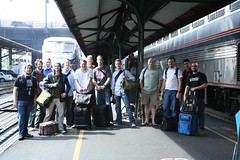
Here are a few photos from the trip… in chronological order. Be sure to see the gallery as people are adding more and more photos to the group.

Walking to Union Station in Portland, OR.

Group photos before boarding…

Traveling on the train along the Columbia River

Late night hacking..

Late at night… leg streching

Breakfast on the train

Stopped in Wisconsin

Hacking on the train…

More hacking on the train…

The Mac shot…

Arrived at Union Station in Chicago, IL.

A video is coming soon too!

Rolling up my sleeves

June 10, 2006

A former coworker and friend of mine, Al Hulaton, would wear these thin gloves that had some padding under the wrists. He said that he wore them because he would get pains in his wrists and hands from working on the computer so often. I always meant to try a pair and found myself looking at a pair online the other week. They’re called SotFlex Computer Gloves and run just $24.95/pair.

They are going to take some getting used to…

Prototypes Are Your Friends

June 07, 2006

I’d like to apologize for not keeping you updated on Project Borat. If you’d like some background, please read Project Borat, an introduction.

“In early stage design, pretend the interface is magic.”1

We’re finishing up Iteration 1, which is a prototype and requirement feedback process. When I used to be a house painter, we’d spend time painting small samples for the customer. The customer would come by when the paint was dry and compare the colors to what they had pictured in their mind and once there was an agreement, we’d move forward with purchasing the necessary quantity of paint for their house. Thinking back… I never questioned this “Show them samples” process as it was how the company did business… but now it seems obvious that people must that made many mistakes of buying colors that weren’t exactly what the customer wanted. Then the painters would be required to repaint. Development work resembles this and this is where prototypes come into play. Painting a house is not quite like developing an application… but that reoccurring process of encouraging customer feedback as early as possible is very similar. It is this feedback that builds confidence that you understand the customers desires. However, if you end up with too much of the wrong color of paint… you might be able to paint a few dog houses with it. ;-)

Over the past few weeks, we’ve had several meetings with the Client to discuss prototypes, user interaction, and goals. For example:

  • When User does X, what information should they be presented with?
  • What types of users will use this application?
  • What are some of the goals and intentions of the users?
  • Might a user want to do z before x?
  • Are users interested in doing something completely different?

During this Iteration we also hit a major milestone for the client. For the first time since they came up with their idea, they were able to see something visual and had semi-functional to play with. The prototype resembled what they had been thinking about conceptually for several months. It can be easy as a developer to forget the importance and excitement that goes along with seeing something that consolidates your ideas… visually for the first time. This process requires a good stream of feedback and asking specific questions about functionality possibilities and not burdening the user with too much information in certain contexts… while still providing them with enough to keep them interested.

In The Art of Project Management, Scott Berkun raises the following questions for iterations and prototypes.

  • What requirements does this satisfy? Can we verify this? (Usability, use-cases, etc.)
  • What’s good and bad about this design relative to the problem it’s supposed to solve (Pros and cons for each of usability, business, technology, considerations.)
  • What data do we need to evaluate this design? (Perhaps a usability study, an informal review by a programmer for engineering sanity, marketing, an expert’s opinion, etc.)
  • What did we learn from this design that we should keep in the next attempt? Eliminate?
  • Are there any other idea groupings or from other prototypes that we should include?

Another important thing to do during any iteration is to keep a list of open-issues. Berkun suggests using a simple tool for this. We’re using plain text files in subversion and using Textile for markup.

What’s next?

  • Idea consolidating
  • More prototypes
  • Discussing architecture plan
  • Scheduling

Until next time…


  1. Alan Cooper & Robert Reimann, About Face 2.0: The Essentials of Interaction Design. Wiley 2003.↩︎

The Art of Delivery, part 1

May 31, 2006

Over the next few weeks, I am going to interact with the readers of my blog in a segment that I call… The Art of Delivery.

As a professional developer, my experience with working in development environments has been fairly unique each time. Up until PLANET ARGON, I had very little say in how we structured the very process that I was expected to follow. Granted, there is is a benefit to having leaders who have some good experience to help guide a team throughout the life span of a project, but a leader should also posses a sense of humility and stay agile in their processes. You cannot succeed in an environment where an old dog can’t learn new tricks. This sort of thinking reminds me of managers who feel that their sole responsibility is to manage people. People manage themselves, a leaders helps facilitate self-management. I’ll be the first to admit that I have much to learn in both areas. :-)

Delivery!!!

Earlier this year, the PLANET ARGON Core Team met to outline new processes. One hot topic was project communication and delivery. One of the areas that we all insist that we excel at is building better estimates and managing project delivery more efficiently. Every one on our team has their own ideas of how best to coordinate projects and we wanted to find a way to invent our own pattern… but what we realized is that we were borrowing a lot of ideas from books we’ve read as well as the lessons learned in previous environments. One of the things that we realized is that while we weren’t horrible at building estimates for a six month project… it was that we knew that the requirements of (almost) any project would change scope within six months. How could we accommodate new ideas in a project without disrupting the budget and the agreed timeline? We wanted to rethink this process and push ourselves to follow an iterative approach.

Focus on the now and then the then

Since then we have begun to define and redefine what each stage of a project looks like. How do we communicate stages of a project with our clients in a meaningful and clear way?

I’m now about to give away how we do business at PLANET ARGON.

Project(s), Release(s), Iteration(s), Task(s)

It’s not rocket science… and it shouldn’t be!

  • A project has many releases
  • A release has many iterations
  • An iteration has many tasks

What we do is isolate an iteration by collecting a set of goals to be accomplished that the client and we agree on as being of high value to the success of the project at this point in time. Tasks are essentially the individual steps needed to achieve those goals and we don’t go out of our way to list each one of those during an estimate process as some tasks take less time than it takes to generate an estimate for them. We include our developers in our estimate and specification process as they often have many great questions to send to the client to get further clarification. Often, much of this clarification process happens during a first iteration, which some call Iteration Zero. as no code is developed during this iteration. Prototypes, estimates, mockups, and Q&A is what iteration 1/zero consists of. This is that important design phase that people talk so much about. :-)

Let’s get back to thinking about delivery… and we’ll make the assumption that you’ve already worked out your estimates and are now ready to work on your (next) iteration.

Open Question: As developers, project managers, and curious readers… how do you proceed?

…to be continued

The Daily Stand Up, part 2

May 29, 2006

In a previous post, I outlined how the PLANET ARGON team handles their communication of day-to-day work with the daily stand-up. Several people posted comments about similar processes and some suggestions were made to keep them from getting too stagnant. I wanted to highlight a few of those comments.

Aslak Hellesoy suggests, “Use a token – a rubber ball or something – for each person giving status. Only the person holding the token is allowed to talk.”

Florian Weber said, “Everybody standing up makes meetings go faster and more focus…”

However, not everybody is convinced…

Doug said, “I hate meetings, why on Earth would you punish your employees on a daily basis?”

Perhaps Doug has worked in environments that encourage too many bad meetings. A client recently said, “meetings are expensive” when we agreed to not have too many meetings throughout the project. Less meetings that are well-focused are much more valuable and productive. :-)

The one that caught my attention was the comment made by Aslak Hellesoy… he goes on to say, “When a speaker is done, throw the token to a random person instead of just handing it to the left or right. This forces everyone to stay more alert, as noone knows who’s next.”_

This got me thinking about how we had made it a ritual to stand in similar positions and I would start off the meeting. The team wasn’t too keen on throwing a ball around the room as we often hold coffee in our hand… so I came up with the following solution…. which reunites us with our little friends, the index cards!

Randomizing Daily Standup Meetings

Basically, all I did was take a stack of index cards and write a number on each one. Then at 9:15am PST, we all walk into the meeting room and take one. Whoever got #1 goes first and we work our way up from there. We’ve done this three times so far and most of the team seems cool with it. I’ll keep you posted as we solidify our approach to The Daily Stand-up.

…and of course… this comment also reaffirmed our decisions to do daily stand-ups…

Kevin Rutherford said, “Cool. And by “inventing” the idea yourselves, I guess you have much greater buy-in too?”

Install Ruby, Rails, and PostgreSQL on OSX

May 29, 2006

WARNING: This post contains some outdated instructions. Please read “ Installing Ruby on Rails and PostgreSQL on OS X, Second Edition”:/articles/2007/06/19/installing-ruby-on-rails-and-postgresql-on-os-x-second-edition/

Our Creative Director, Allison Beckwith, picked up a new black MacBook this weekend and I had the luxury of getting it setup to model our standard setup. We all try to keep our setups fairly similar so that we don’t hit too many issues when working together on projects.

I’ll try to keep this short and to the point… because if you’re like me… you just want to start playing with Rails! ;-)

The steps I followed to get her setup like the rest of the development team at PLANET ARGON went something like this.

XCode and DarwinPorts

  • Download and install iterm (the Universal dmg)
  • Download and install XCode tools from Apple (dmg)
  • Download and install DarwinPorts (dmg)
  • Start up iterm.

In this step we are going to modify the default bash profile so that every user on the machine that uses bash will get the path for darwinports in their bash_profile.

sudo vi /etc/profile

Modify the following line to include /opt/local/bin in the PATH… save the file (see vim documentation for details)

  PATH="/bin:/sbin:/opt/local/bin:/usr/bin:/usr/sbin"

Ruby and Rails

  • Open up a new iterm tab (apple-t)
  • Install ruby with darwinports with: sudo port install ruby rb-rubygems
  • Install Ruby on Rails and all its dependencies with: sudo gem install -y rails

PostgreSQL and Ruby libs

  • Install PostgreSQL8 with: sudo port install postgresql8
  • We need to modify the /etc/profile file again because the postgresql8 install doesn’t add programs like pg_ctl to /opt/local/bin. Change the PATH to now look like this and save.
  PATH="/bin:/sbin:/opt/local/bin:/usr/bin:/usr/sbin:/opt/local/lib/pgsql8/bin"
  • Install the postgres gem with: sudo gem install postgres
    • Oh NO!!! You should see an error about it not finding libraries… what will we do?
  cd /opt/local/lib/ruby/gems/1.8/gems/postgres-0.7.1
  sudo ruby extconf.rb --with-pgsql-include=/opt/local/include/pgsql8 --with-pgsql-lib=/opt/local/lib/pgsql8
  sudo make && sudo make install
  # for good measure...
  sudo gem install postgres

Successfully installed postgres-0.7.1

Configure PostgreSQL for single user

In our development environments, we don’t find it necessary to keep PostgreSQL running all the time on our servers. We only want it running when we’re doing development. We also typically install it per user on a machine to keep us from needing things like usernames and passwords to connect to it from an application we’re running on the machine. Let’s setup PostgreSQL the PLANET ARGON way!

  • Open up iterm and go to your home directory
  • Init your new PostgreSQL database with: initdb -D pgdata
  • Start up PostgreSQL with: pg_ctl -D pgdata -l pgdata/psql.log start
  • Create a new database with: createdb argon_development
  • Test the new database with: psql argon_development
  • Did it load up your new database? If so, great! If not… check your steps… :-)

Test Rails + PostgreSQL

  • Navigate to a directory where you don’t mind sticking projects… mkdir development; cd development
  • Generate a new Rails application with: rails -d postgresql argon
  • Navigate to new Rails application directory. cd argon
  • Generate a new model to test with: ./script/generate model Argonista
  • Edit and save the migration that was generated ( db/migrate/001_create_argonistas.rb ) file with your favorite editor…
  class CreateArgonistas < ActiveRecord::Migration
    def self.up
      create_table :argonistas do |t|
        t.column :name, :string
        t.column :blog_url, :string
      end
    end

    def self.down
      drop_table :argonistas
    end
  end
  • Edit config/database.yml to look like the following… you’ll notice that we don’t need to supply a username or password.
  development:
    adapter: postgresql
    database: argon_development

  test:
    adapter: postgresql 
    database: argon_test

  production:
    adapter: postgresql
    database: argon_production
  • Run the migration with: rake db:migrate
  $ rake db:migrate
  (in /Users/allisonbeckwith/development/argon)
  == CreateArgonistas: migrating ================================================
  -- create_table(:argonistas)
  NOTICE:  CREATE TABLE will create implicit sequence "argonistas_id_seq" for serial column "argonistas.id"
  NOTICE:  CREATE TABLE / PRIMARY KEY will create implicit index "argonistas_pkey" for table "argonistas"
     -> 0.0399s
  == CreateArgonistas: migrated (0.0402s) =======================================
  • Test your new model from console
  $ ./script/console 
  Loading development environment.
  >> a = Argonista.new
  => #<Argonista:0x24569dc @attributes={"name"=>nil, "blog_url"=>nil}, @new_record=true>
  >> a.name = 'Robby'
  => "Robby"
  >> a.blog_url = 'http://www.robbyonrails.com'
  => "http://www.robbyonrails.com"
  >> a.save
  => true
  >> exit
  • Great, let’s go look at our database table…
  $ psql argon_development
  Welcome to psql 8.1.3, the PostgreSQL interactive terminal.

  Type:  \copyright for distribution terms
         \h for help with SQL commands
         \? for help with psql commands
         \g or terminate with semicolon to execute query
         \q to quit

  argon_development=# SELECT * FROM argonistas;
   id | name  |          blog_url           
  ----+-------+-----------------------------
    1 | Robby | http://www.robbyonrails.com
  (1 row)

There we go, we’ve setup Ruby, Rails, and PostgreSQL on a brand new Intel MacBook without breaking a sweat!

Extra Goodies

  • Subversion: sudo port install subversion
  • Lighttpd: sudo port install lighttpd
  • ImageMagick: sudo port install ImageMagick (known to take a while…)
  • GraphicsMagick: sudo port install GraphicsMagick
  • Install the rmagick gem: sudo gem install rmagick

Have fun!

The Daily Stand Up

May 22, 2006

I’ll admit it. I’ve never read a book that outlines that SCRUM process in detail but do have a copy of The Art of Project Management by Scott Berkun. In chapter ten, Berkun points out the purpose of having meetings as well as the annoyances that surround them. Over the past six months, we have toyed around with a few different approaches to holding meetings. There was a short period of time where we really weren’t sure what the best way to get company-wide information to everyone without boring them to death once a month or week.

A few months ago we tried something totally crazy… daily meetings! It caught on rather well.

There is one rule though, nobody can sit down. :-)

We hold a meeting every day at the same time and do not make any exceptions. Well, I will admit that we’ve missed two or three in the past several months but overall, we’re very good at keeping to the schedule.

So, how does this process work?

Each morning, I spend about 15 minutes preparing for a 10 minute meeting… which also is how I build my list for the day. This list appears on an index card as I keep it with me throughout the whole day. I also keep the previous and next days card with me so that I can make sure that things that didn’t get done yesterday get done today or tomorrow. Some of these tasks end up on BaseCamp or just get checked off as I complete the task.

Each morning at 9:15 AM PST (now you know where we are when we aren’t working or on IRC), we meet in our conference room and stand in something that looks similar to a circle. I wait until everybody finds their way into the conference room and then say, “Good morning!” I then do go over the following things (and use my index cards to keep me on topic)…

  • What did I do yesterday (or Friday/weekend)?
  • What will I do today?

Then the person who decided to stand next to me follows and we do this around the room… I think the order this morning was:

  • Robby
  • Jeremy
  • Brian
  • Jason
  • David
  • Allison

This is a good time to also bring up any thing that might be useful for everyone to hear… such as, “we got a new development contract signed yesterday!” or “client x will be on-site at 1:30 PM.” Along with this, we’re able to ask questions about other peoples work and act as a sanity check. Why the stand up? Nobody likes to just stand around for too long… when you stand up you avoid getting too comfortable and people are more likely to stay on topic and focused.

The meetings typically last 10-15 minutes and if you’re not doing something like this with your team… how do you cope on a daily basis?